
Your website, as a real app, in minutes.
Paste your URL and get working Android & iOS demos in minutes. Pay only when you are ready to publish.
No credit card to start · Android & iOS demos · Keep editing your site as usual · See pricing
Works with any public website
How it works
From URL to app stores in 3 steps
 1
1Paste your URL
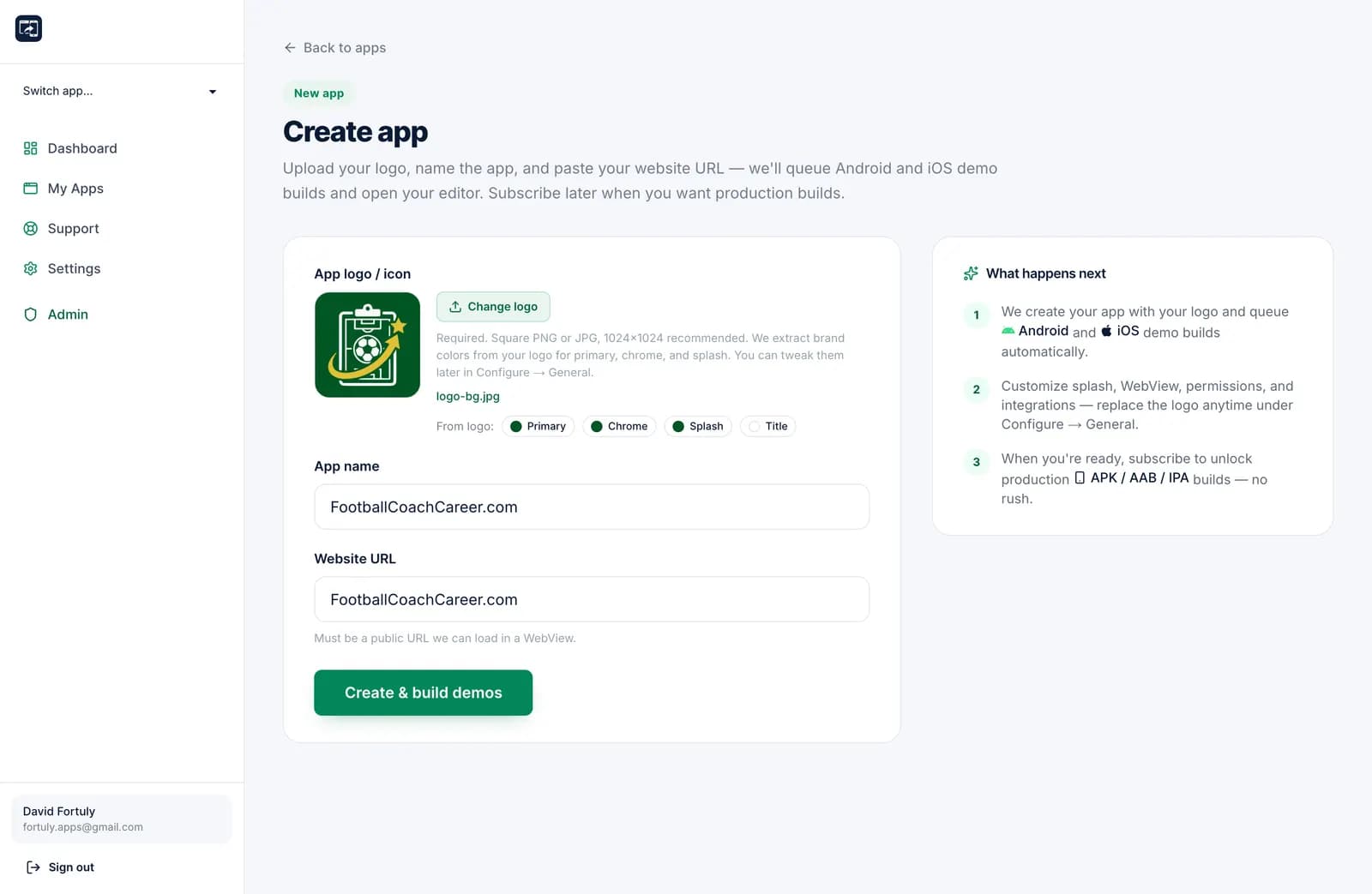
Create an app from any public website. No code, no plugins.
 2
2Preview free demos
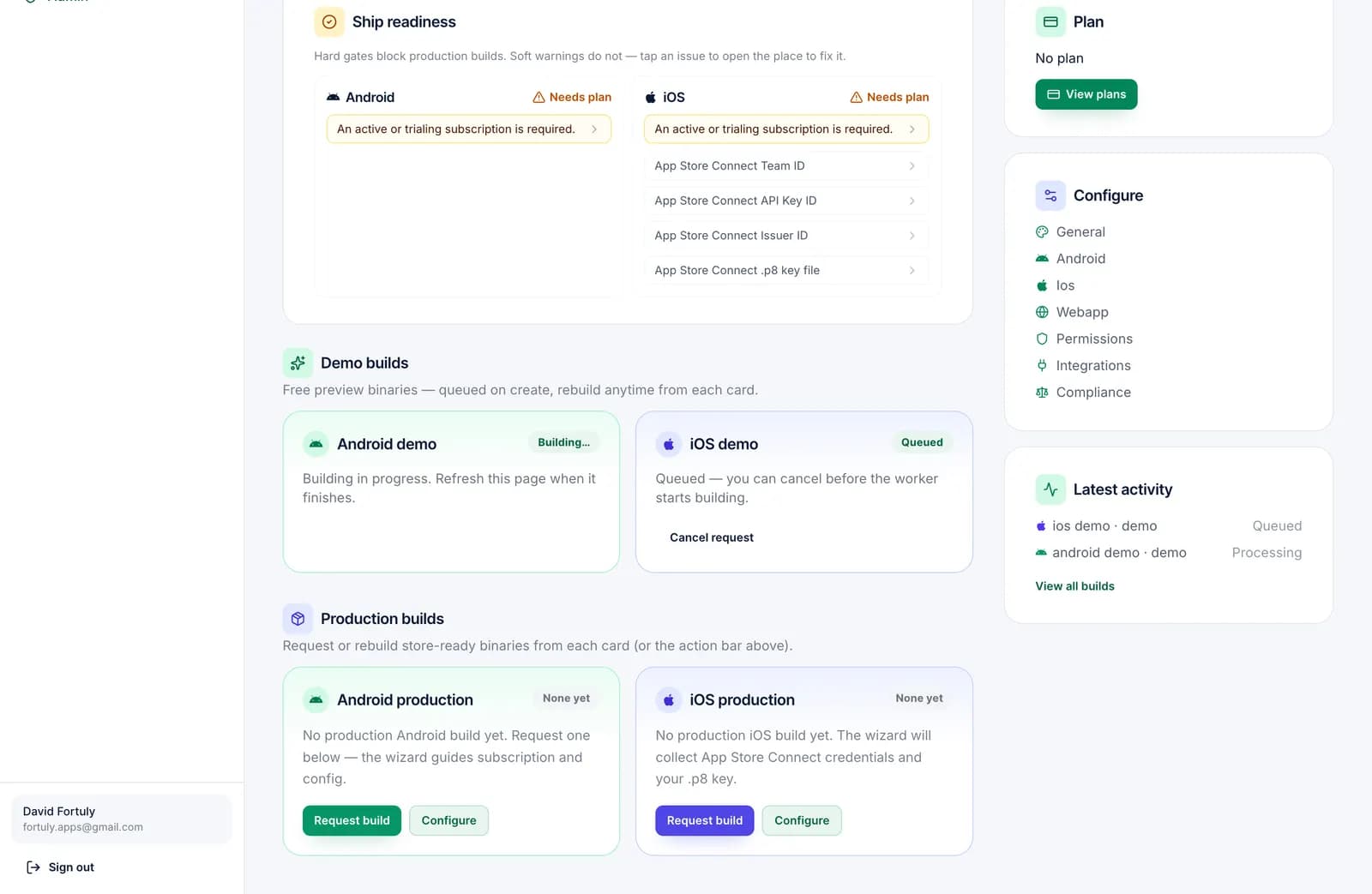
Android and iOS demo builds start automatically. Test them on a real phone, no card needed.
 3
3Publish when you're ready
Start the 15-day trial for unlimited production builds: APK, AAB and IPA, signed with your keys.
Product tour
See the platform in action
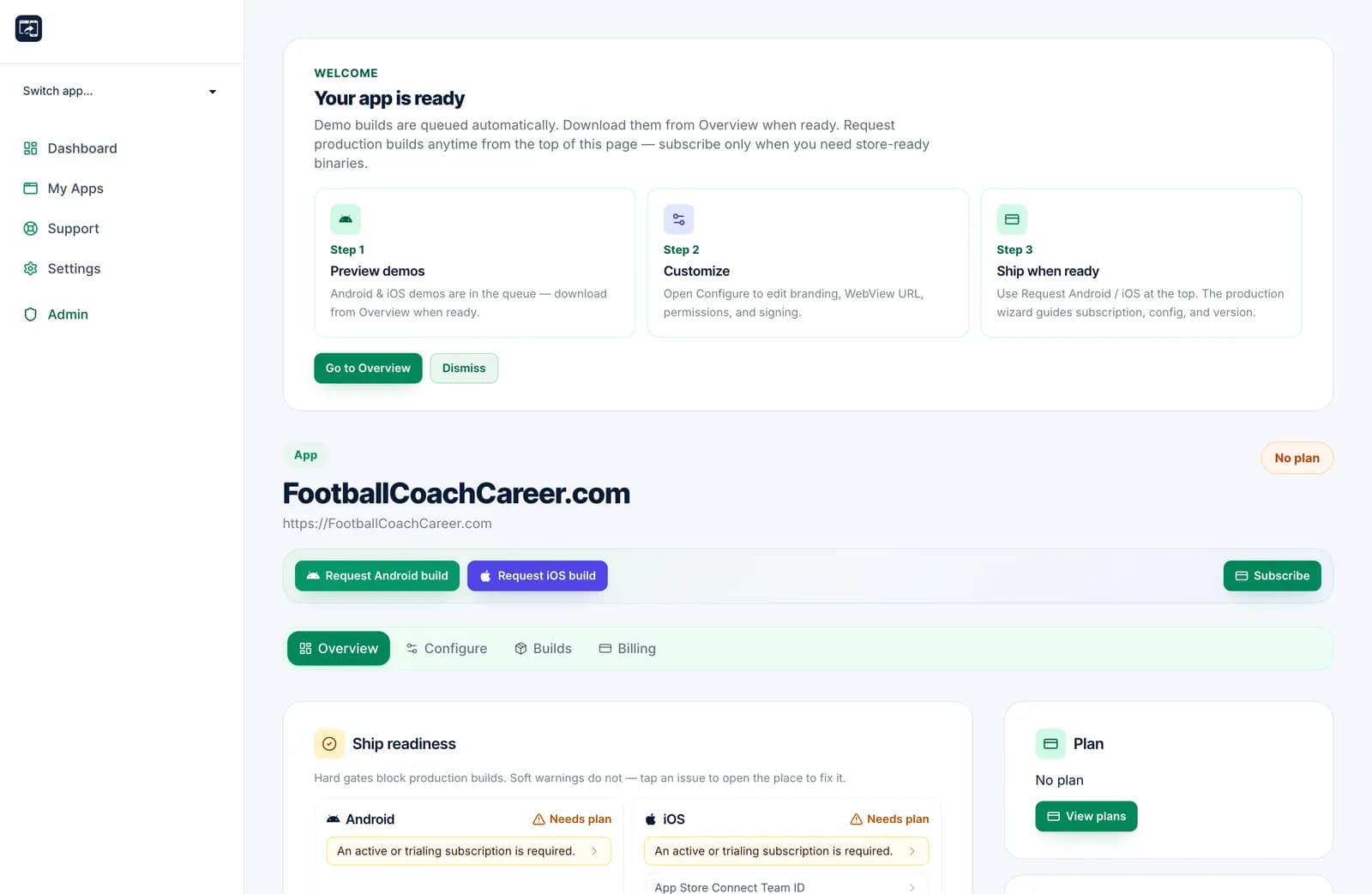
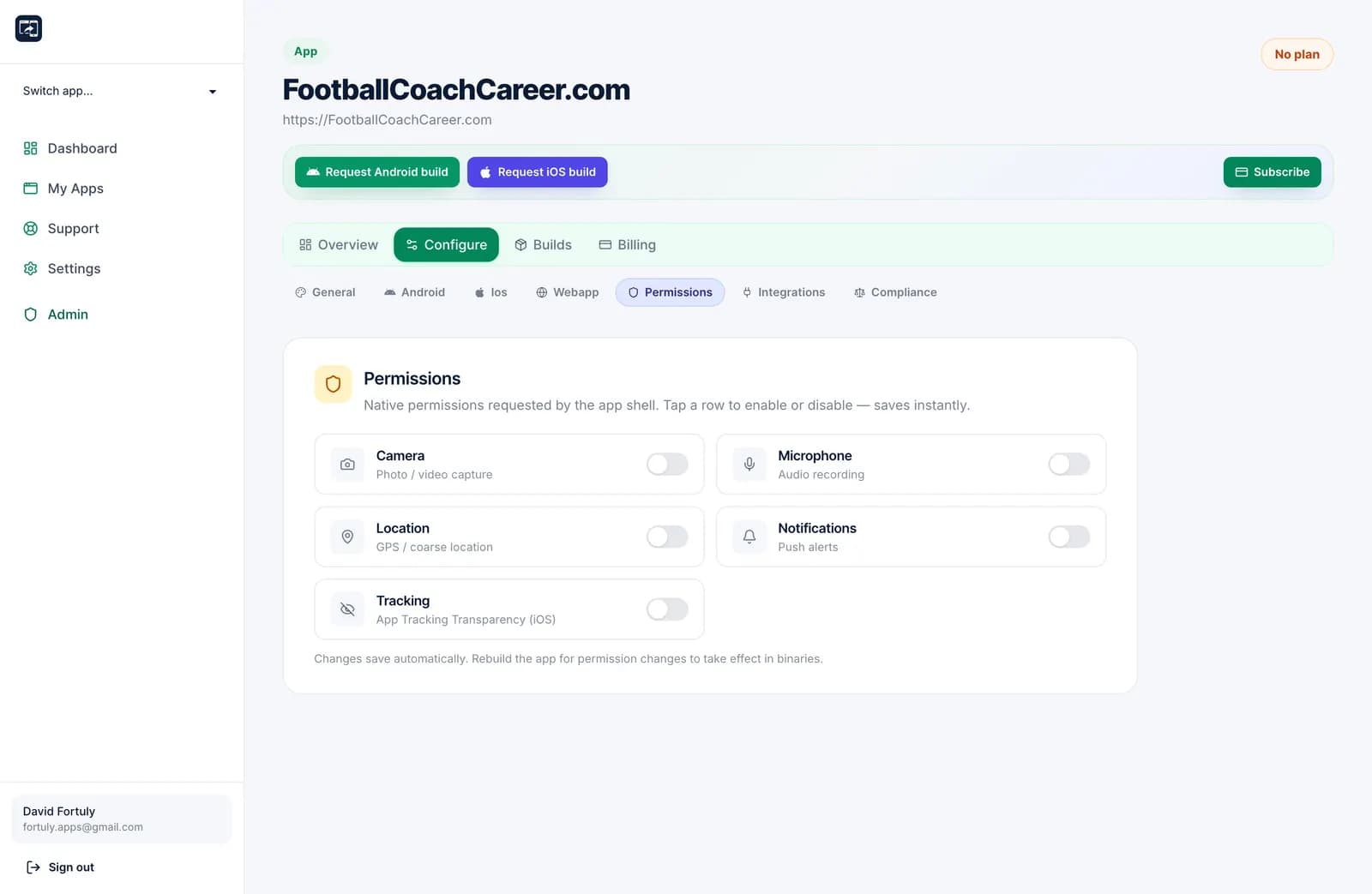
From create to configure to build — the same screens you’ll use after you sign up.
Step 1 of 6
Paste a URL. Start an app.
Create a native shell from any public website in a few clicks.
Features
Everything you need to ship
From branding to signing to push notifications — configured once, rebuilt anytime.
Full app editor
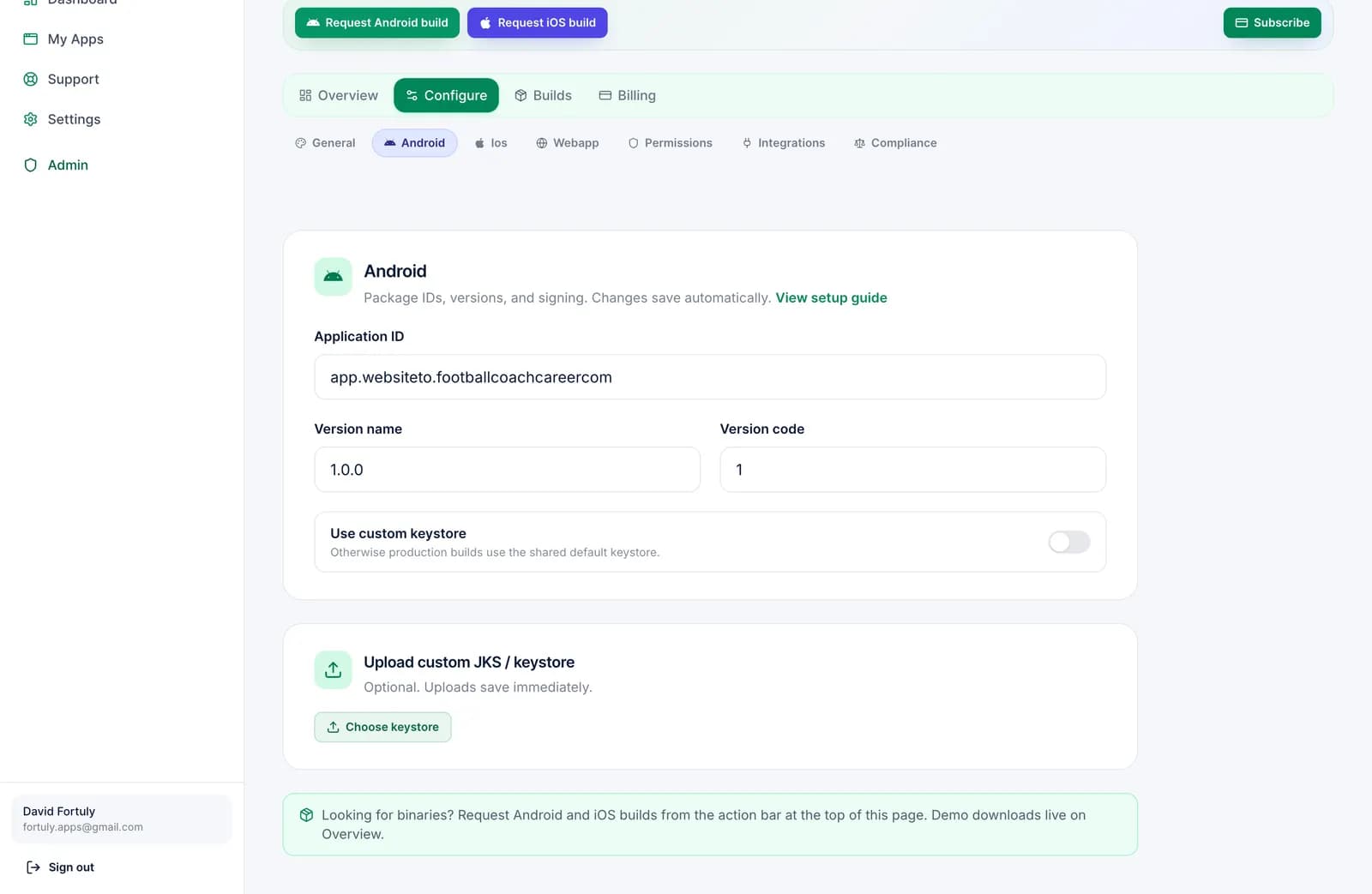
Brand colors, splash, WebView filters, permissions, and compliance — all from one dashboard.
Unlimited production builds
While your subscription is active or trialing, ship as many APKs, AABs, and IPAs as you need.
Your signing keys
Use the shared Android keystore, upload a custom JKS, or connect App Store Connect .p8 keys.
Push & ads included
OneSignal and AdMob ship with every plan — no separate add-on unlocks.
Free demo builds
Android and iOS demos queue automatically when you create an app so you can preview fast.
Keep apps alive
Expired subscriptions show a WebsiteTo.app notice and watermark until you renew.
Let Claude build your app
Create an API token, connect it to Claude or any MCP-compatible agent, and describe the app you want. The agent creates it from your URL, sets the icon and colours, configures permissions and integrations, requests the builds and gives you the download links.
- You choose what a token may do: read, edit apps, billing and builds, store keys.
- Anything that costs money or deletes data needs explicit confirmation.
- Revoke a token in one click, and the agent is out.
# Claude Code
claude mcp add --transport http websiteto https://www.websiteto.app/api/mcp --header "Authorization: Bearer wta_…"
# Then just ask
> Create an app for https://mystore.com, use this logo, turn on push notifications and tell me when the demo builds are ready.
Learn
Fresh from the blog
Guides and product updates to help you ship website-to-app experiences.

Pricing
Simple per-app plans
Pick Android, iOS, or both. Monthly or annual. Every plan includes a 15-day trial.
Android
$4.90/mo
or $49.90/year
- 15-day trial
- Unlimited builds
- OneSignal & AdMob
- Demo builds free
Android + iOS
$9.90/mo
or $99.90/year
- 15-day trial
- Unlimited builds
- OneSignal & AdMob
- Demo builds free
FAQ
Questions, answered
Your website, on the home screen.
Get free Android and iOS demos today. Start the 15-day trial only when you are ready to publish.
Build my free demo